.webp)
.svg)

Program overview


Online
On-site
Hybrid
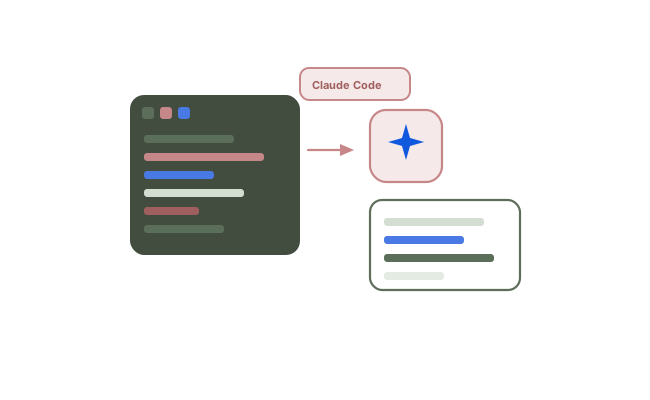
Claude Code for Developers and Engineering Teams
Move Claude Code from occasional autocomplete to a dependable part of daily engineering. Learn to delegate multi-step changes, build reusable Skills and subagents, connect internal systems through MCP, and wire agentic development into your existing CI/CD and review workflows.
Duration:
3 Days
Level:
Intermediate
.avif)
1500+ users onboarded
Who will Benefit from this Training?
Training Objectives
Build a high-performing, job-ready tech team.
Personalise your team’s upskilling roadmap and design a befitting, hands-on training program with Uptut

Key training modules
Comprehensive, hands-on modules designed to take you from basics to advanced concepts
Download Curriculum
- Claude Code Foundations and Terminal-Native Workflow
- Claude Code as a terminal-native development agent (vs chat-only copilots)
- Installation, authentication and IDE integration options
- Session model, context window behaviour and practical limits
- When to use Claude Code versus inline autocomplete tools
- Hands-on: Lab: Install Claude Code, authenticate, and complete a first guided task in a sample repo
- Codebase Comprehension, Permissions and Safe Execution
- Reading and navigating an unfamiliar codebase with Claude Code
- Approval modes and permission prompts for file and shell actions
- Safe execution boundaries (what to allow, deny and always review)
- Working with git status, diffs and branch context during agent sessions
- Hands-on: Lab: Explore a real repository and produce a structured architecture brief with permissions locked down
- Delegation Craft: Decomposition and Verifiable Results
- Writing effective delegations (goal, constraints, acceptance criteria)
- Task decomposition for multi-file and multi-step changes
- Verification patterns (tests, builds, diffs and checklist reviews)
- Recovering from partial or incorrect agent output without restarting from scratch
- Hands-on: Lab: Delegate a bounded feature change and verify the result against an acceptance checklist
- CLAUDE.md: Project Memory, Guardrails and Team Conventions
- CLAUDE.md as persistent project memory and shared team convention
- Encoding stack, style, testing and PR expectations for the agent
- Layering repo, team and personal instructions without conflicts
- Guardrails that reduce unsafe or off-pattern agent behaviour
- Hands-on: Lab: Author a CLAUDE.md for your codebase and validate behaviour on a follow-up task
- Agent Skills: Authoring, Scoping and Distribution
- Authoring Agent Skills with SKILL.md (purpose, inputs and steps)
- Skill discovery, scoping and when a Skill beats a one-off prompt
- Packaging Skills for reuse across projects and teammates
- Versioning and iterating Skills based on real failure cases
- Hands-on: Lab: Build and distribute a team Skill for a recurring engineering workflow
- Subagents and Long-Running Autonomous Sessions
- Subagents for context management and specialised task delegation
- Designing multi-step sessions that can run with minimal babysitting
- Progress checkpoints, resumability and failure recovery
- Reviewing long-running output for correctness and side effects
- Hands-on: Lab: Run a long session with a subagent pattern and produce a reviewable change set
- MCP Integration with Internal Tools and Services
- Model Context Protocol basics (tools, resources and prompts)
- Connecting Claude Code to internal APIs, trackers and data sources
- Access control, secrets handling and least-privilege connector design
- Debugging MCP connectivity and tool-call failures
- Hands-on: Lab: Connect an internal tool via an MCP server and complete an end-to-end agent task
- CI/CD, Automated Review and Applied Modernisation Labs
- Claude Code in CI/CD and automated code review workflows
- Hooks, permissions and enterprise configuration for team rollout
- Cost, token and performance considerations at engineering-team scale
- Measuring impact (cycle time, review load, defect escape rate)
- Hands-on: Lab: Elective track — wire Claude Code into a pipeline review path or apply it to legacy modernisation / test automation
Hands-on Experience with Tools
Training Delivery Format
Flexible, comprehensive training designed to fit your schedule and learning preferences

Opt-in Certifications
AWS, Scrum.org, DASA & more
.avif)
100% Live
on-site/online training
.avif)
Hands-on
Labs and capstone projects
.avif)
Lifetime Access
to training material and sessions
Skill-Gap Assessment
Analysing skill gap and assessing business requirements to craft a unique program
1
Personalisation
Customising curriculum and projects to prepare your team for challenges within your industry
2
Implementation
Supplementing training with consulting support to ensure implementation in real projects
3
Why this course
- Delegation, not autocomplete: Learn to hand over whole tasks and get back reviewable, verifiable results.
- Reusable team assets: Build Skills and subagents your whole team shares instead of one-off prompts.
- Works on your codebase: Labs run against real repositories, not toy projects.
- Pipeline integration: Leave with agentic workflows running inside your CI/CD and review process.
Training objectives
- Install, configure and operate Claude Code across real project codebases
- Write delegations that produce reviewable, verifiable results
- Use CLAUDE.md as persistent project memory and shared team convention
- Build and distribute Agent Skills and subagents for specialised tasks
- Connect internal tools and services through the Model Context Protocol
- Integrate Claude Code into CI/CD pipelines and automated review workflows
- Apply agentic workflows to legacy modernisation and test automation
Who will benefit
- Software developers and engineers
- Tech leads and engineering managers
- QA and test automation engineers
- DevOps and platform engineers
.avif)
Lead the Digital Landscape with Cutting-Edge Tech and In-House " Techsperts "
Discover the power of digital transformation with train-to-deliver programs from Uptut's experts. Backed by 70,000+ professionals across the world's leading tech innovators.
.svg)
.svg)
.svg)
.svg)
.svg)
Recommended Training
Continue your learning journey with these hand-picked courses and bundles
Frequently Asked Questions
2. Will my team get any practical experience with this training?

.svg)
With our focus on experiential learning, we have made the training as hands-on as possible with assignments, quizzes and capstone projects, and a lab where trainees will learn by doing tasks live.
3. What is your mode of delivery - online or on-site?
We conduct both online and on-site training sessions. You can choose any according to the convenience of your team.
4. Will trainees get certified?
Yes, all trainees will get certificates issued by Uptut under the guidance of industry experts.
5. What do we do if we need further support after the training?
We have an incredible team of mentors that are available for consultations in case your team needs further assistance. Our experienced team of mentors is ready to guide your team and resolve their queries to utilize the training in the best possible way. Just book a consultation to get support.