.webp)
.svg)

Program overview


Online
On-site
Hybrid
Power BI and Databricks Integration
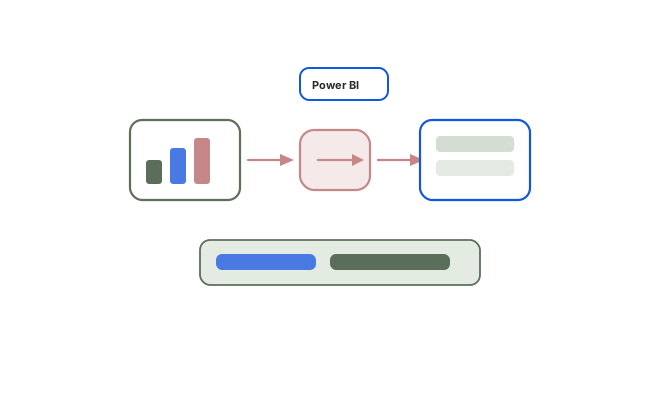
Connect Power BI to Databricks SQL warehouses, model lakehouse Delta data, and deliver optimised DirectQuery or Import reports with Unity Catalog-aligned governance.
Duration:
2 Days
Level:
Intermediate
.avif)
1500+ users onboarded
Who will Benefit from this Training?
Training Objectives
Build a high-performing, job-ready tech team.
Personalise your team’s upskilling roadmap and design a befitting, hands-on training program with Uptut

Key training modules
Comprehensive, hands-on modules designed to take you from basics to advanced concepts
Download Curriculum
- Architecture Overview: Power BI on the Databricks Lakehouse
- How Power BI and Databricks connect for lakehouse analytics
- Why SQL warehouses are preferred over all-purpose clusters for BI workloads
- Photon acceleration, result caching, and BI-oriented query planning
- Unity Catalog three-level namespace: catalog.schema.table discovery in Power BI
- Where Gold-layer Delta tables fit in a Power BI semantic model
- Connectivity Setup: Partner Connect, SQL Warehouse, and Gateway
- Databricks Partner Connect: generate a Power BI connection package quickly
- Manual connection using server hostname, SQL warehouse HTTP path, and authentication
- Personal access token versus Microsoft Entra ID authentication patterns
- ODBC/JDBC and on-premises data gateway scenarios for hybrid environments
- Hands-on: Connect Power BI Desktop to a Databricks SQL warehouse and browse lakehouse tables
- DirectQuery, Import, and Composite Models
- DirectQuery: live queries to Databricks at visual interaction time
- Import mode: load into the Power BI model, scheduled refresh, and size considerations
- Composite models: combine Databricks DirectQuery facts with imported dimensions
- Decision criteria: data freshness, dataset size, concurrency, and warehouse cost
- Common anti-patterns that overdrive SQL warehouse compute from Power BI
- SQL Server vs Databricks for Power BI Developers
- Connectivity: on-premises gateway for SQL Server versus SQL warehouse endpoints for Databricks
- Data format: relational star schema versus Delta Lake tables in a lakehouse catalog
- Query handling: SQL Server engine versus Photon-accelerated Databricks SQL
- Security model: SQL logins/Windows AD versus Unity Catalog with Entra ID
- Refresh patterns: gateway scheduled refresh versus DirectQuery or warehouse-backed freshness
- Data Modelling for Gold-Layer Delta Tables
- Modelling principles for lakehouse-sourced Gold tables and pre-aggregated datasets
- Wide tables versus dimensional models when sourcing from Databricks
- Relationships, cardinality, and cross-filter direction on Delta-backed tables
- When to model in Power BI versus pushing logic into Databricks Gold tables
- Hands-on: Build an initial Power BI data model against Databricks Gold Delta tables
- DAX and Query Folding on Databricks Sources
- DAX fundamentals for Databricks-connected models: measures, calculated columns, context
- Common patterns: time intelligence, running totals, and period-over-period comparisons
- Query folding with DirectQuery: which Power Query steps fold to Databricks SQL
- Transformations that break folding and how they affect warehouse load
- Designing measures that stay efficient under DirectQuery constraints
- Performance Optimisation for Databricks-Backed Reports
- Power BI Performance Analyser: slow visuals, heavy DAX, and DirectQuery bottlenecks
- Aggregation tables: pre-build summaries in Databricks Gold and reference them in Power BI
- SQL warehouse sizing, concurrency, and auto-stop settings for cost and latency
- Reducing DirectQuery latency with result caching, lean models, and SQL tuning
- Practical checklist for production-ready report performance on Databricks
- Governance, RLS, and Publishing to Power BI Service
- Static RLS with roles and dynamic RLS using USERNAME() or USERPRINCIPALNAME()
- Aligning Power BI RLS with Unity Catalog access policies for consistent governance
- Publishing to Power BI Service: workspaces, datasets, and Databricks connection settings
- Scheduled refresh versus DirectQuery in the service: operational trade-offs
- Dashboard design principles for analytical usability on lakehouse data
- Capstone: Production Dashboard from a Databricks Gold Table
- Connect to a governed Gold Delta table through a SQL warehouse
- Model relationships and measures for a production-style semantic model
- Apply at least one performance optimisation (aggregations, lean visuals, or warehouse tuning)
- Configure RLS aligned to a simple governance scenario
- Hands-on: Publish an end-to-end analytics dashboard sourced from Databricks Gold data
Hands-on Experience with Tools
Training Delivery Format
Flexible, comprehensive training designed to fit your schedule and learning preferences

Opt-in Certifications
AWS, Scrum.org, DASA & more
.avif)
100% Live
on-site/online training
.avif)
Hands-on
Labs and capstone projects
.avif)
Lifetime Access
to training material and sessions
Skill-Gap Assessment
Analysing skill gap and assessing business requirements to craft a unique program
1
Personalisation
Customising curriculum and projects to prepare your team for challenges within your industry
2
Implementation
Supplementing training with consulting support to ensure implementation in real projects
3
Why this course
- BI on the lakehouse: Query governed Delta tables through Databricks SQL warehouses instead of brittle extract pipelines.
- Right connectivity mode: Choose DirectQuery, Import, or composite models based on freshness, scale, and cost.
- Clear SQL Server migration path: Understand how gateway, schema, security, and refresh patterns change on Databricks.
- Governed self-service: Align Power BI RLS with Unity Catalog policies for consistent access control.
Training objectives
- Connect Power BI to Azure Databricks using Partner Connect and manual SQL warehouse endpoints
- Understand the difference between DirectQuery and Import mode when connecting to Databricks and choose appropriately
- Build data models in Power BI optimised for lakehouse-sourced Delta tables
- Understand the key architectural and connectivity differences between Power BI on SQL Server versus Databricks
- Apply performance optimisation techniques for Power BI reports on Databricks data
- Develop production-ready dashboards and reports against Databricks data
- Implement row-level security in Power BI aligned with Unity Catalog governance
Who will benefit
- Data Engineers
- Data Analysts
- Analytics Engineers
- BI Professionals
- Cloud Engineers
- Data Platform Teams
.avif)
Lead the Digital Landscape with Cutting-Edge Tech and In-House " Techsperts "
Discover the power of digital transformation with train-to-deliver programs from Uptut's experts. Backed by 70,000+ professionals across the world's leading tech innovators.
.svg)
.svg)
.svg)
.svg)
.svg)
Recommended Training
Continue your learning journey with these hand-picked courses and bundles
Frequently Asked Questions
2. Will my team get any practical experience with this training?

.svg)
With our focus on experiential learning, we have made the training as hands-on as possible with assignments, quizzes and capstone projects, and a lab where trainees will learn by doing tasks live.
3. What is your mode of delivery - online or on-site?
We conduct both online and on-site training sessions. You can choose any according to the convenience of your team.
4. Will trainees get certified?
Yes, all trainees will get certificates issued by Uptut under the guidance of industry experts.
5. What do we do if we need further support after the training?
We have an incredible team of mentors that are available for consultations in case your team needs further assistance. Our experienced team of mentors is ready to guide your team and resolve their queries to utilize the training in the best possible way. Just book a consultation to get support.