.webp)
.svg)

Program overview


Online
On-site
Hybrid
Cursor for Developers
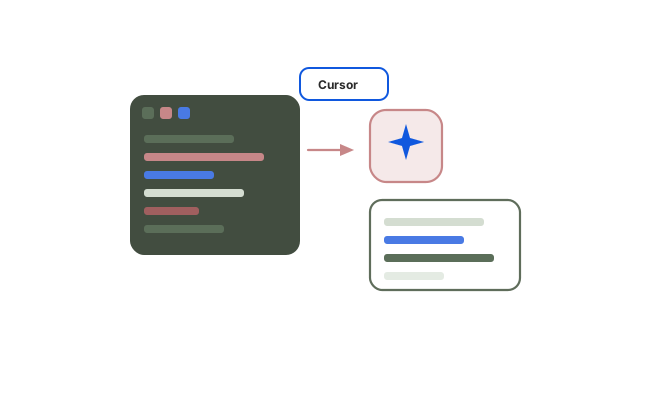
A practical grounding in Cursor for daily development. Covers migration from VS Code, tab and inline editing, Composer for multi-file work, context management, model selection, and the refactoring, testing and review habits that keep AI-assisted code trustworthy.
Duration:
2 Days
Level:
Beginner
.avif)
1500+ users onboarded
Who will Benefit from this Training?
Training Objectives
Build a high-performing, job-ready tech team.
Personalise your team’s upskilling roadmap and design a befitting, hands-on training program with Uptut

Key training modules
Comprehensive, hands-on modules designed to take you from basics to advanced concepts
Download Curriculum
- Getting Started and Migration
- Installing Cursor and bringing across VS Code settings and extensions
- Interface tour: editor, chat, composer and agents
- Plan tiers and what is available at each
- Configuring the editor for how you actually work
- Where Cursor differs from a VS Code plus extension setup
- Tab and Inline Editing
- Tab completion and predicting the next edit
- Multi-cursor edits and following a change through a file
- Inline edit for scoped, targeted changes
- Accept and reject discipline: not taking suggestions on autopilot
- Hands-on: implement a small feature using inline tools only
- Composer and Multi-File Changes
- Scoping a change across several files
- The diff view and reviewing before anything is applied
- When Composer is the right tool and when agent mode is better
- Recovering when a multi-file change goes wrong
- Hands-on: perform a cross-cutting refactor with Composer
- Context Management
- Referencing files, folders, symbols, documentation and web sources
- Codebase indexing and what the model can actually see
- Why too much context degrades output as badly as too little
- Diagnosing bad answers as context problems rather than model problems
- Hands-on: fix a failing request purely by changing context
- Model Selection and Prompting for Code
- Available models and their practical differences
- Choosing per task: fast edits versus complex reasoning
- Intent, scope and constraints in a code-specific request
- Asking for alternatives and trade-off explanations
- Cost awareness: what your choices consume
- Refactoring, Testing and Debugging
- Understanding unfamiliar or legacy code quickly
- Establishing test coverage before refactoring, not after
- Generating and extending meaningful tests
- Debugging, error explanation and documentation generation
- Hands-on: refactor and test an existing module in your own stack
- Reviewing Output and Responsible Use
- Failure modes: code that looks right and is not
- What always needs verification before it reaches a commit
- Secrets, dependencies and security risks in generated code
- Licensing and organisational policy considerations
- Building a personal review checklist you will actually follow
Hands-on Experience with Tools
Training Delivery Format
Flexible, comprehensive training designed to fit your schedule and learning preferences

Opt-in Certifications
AWS, Scrum.org, DASA & more
.avif)
100% Live
on-site/online training
.avif)
Hands-on
Labs and capstone projects
.avif)
Lifetime Access
to training material and sessions
Skill-Gap Assessment
Analysing skill gap and assessing business requirements to craft a unique program
1
Personalisation
Customising curriculum and projects to prepare your team for challenges within your industry
2
Implementation
Supplementing training with consulting support to ensure implementation in real projects
3
Why this course
- Context is the whole game: Most poor output traces back to context, not the model. Learn to control it.
- Works in your stack: Labs run against your team's real languages and repositories.
- Model choice matters: Practical guidance on picking a model per task rather than defaulting to one.
- Honest about failure modes: Clear on where Cursor produces confident, plausible, wrong code.
Training objectives
- Install Cursor and migrate settings, extensions and keybindings from VS Code
- Use tab completion and inline editing effectively
- Apply Composer to scoped multi-file changes with proper diff review
- Control context through file, folder, documentation and web references
- Select models appropriately for different kinds of task
- Prompt for code with clear intent, scope and constraints
- Refactor, test and debug existing code with AI assistance
- Review AI-generated output critically before it reaches a commit
Who will benefit
- Software developers new to Cursor
- Engineers migrating from VS Code or another AI coding tool
- Technical leads evaluating Cursor for team adoption
- Graduate and early-career engineers
.avif)
Lead the Digital Landscape with Cutting-Edge Tech and In-House " Techsperts "
Discover the power of digital transformation with train-to-deliver programs from Uptut's experts. Backed by 70,000+ professionals across the world's leading tech innovators.
.svg)
.svg)
.svg)
.svg)
.svg)
Recommended Training
Continue your learning journey with these hand-picked courses and bundles
Frequently Asked Questions
2. Will my team get any practical experience with this training?

.svg)
With our focus on experiential learning, we have made the training as hands-on as possible with assignments, quizzes and capstone projects, and a lab where trainees will learn by doing tasks live.
3. What is your mode of delivery - online or on-site?
We conduct both online and on-site training sessions. You can choose any according to the convenience of your team.
4. Will trainees get certified?
Yes, all trainees will get certificates issued by Uptut under the guidance of industry experts.
5. What do we do if we need further support after the training?
We have an incredible team of mentors that are available for consultations in case your team needs further assistance. Our experienced team of mentors is ready to guide your team and resolve their queries to utilize the training in the best possible way. Just book a consultation to get support.