.webp)
.svg)

Program overview


Online
On-site
Hybrid
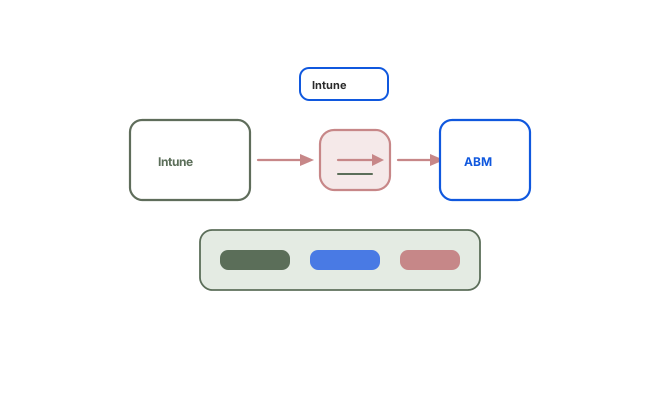
Intune and Apple Business Manager Integration
Connect Apple Business Manager to Microsoft Intune for zero-touch ADE enrollment, VPP app deployment, and policy enforcement across corporate Apple devices.
Duration:
2 Days
Level:
Intermediate
.avif)
1500+ users onboarded
Who will Benefit from this Training?
Training Objectives
Build a high-performing, job-ready tech team.
Personalise your team’s upskilling roadmap and design a befitting, hands-on training program with Uptut

Key training modules
Comprehensive, hands-on modules designed to take you from basics to advanced concepts
Download Curriculum
- Architecture Overview
- How ABM and Intune interact: the trust chain
- Key components: APNs certificate, ADE token, VPP token
- Device flow: purchased by company -> assigned in ABM -> enrolled through Intune -> configured
- Supervised vs. unsupervised enrollment paths
- What changes when devices are managed via ADE vs. manual enrollment
- Connecting ABM to Intune
- Step 1: Creating and renewing the Apple MDM Push Certificate in Intune
- Step 2: Generating and uploading the ADE enrollment program token
- Step 3: Syncing devices from ABM to Intune
- Token expiry management and renewal process
- Hands-on: Troubleshooting token upload failures; Create the Apple MDM Push Certificate in Intune; Download the ADE token from ABM and upload to Intune
- Configuring ADE Enrollment Profiles in Intune
- Creating an Enrollment Program Profile in Intune
- Setup Assistant customisation: which screens to skip or show
- Assigning profiles to devices synced from ABM
- Supervised mode settings in the enrollment profile
- Hands-on: User affinity: enrolled with vs. without user affinity; Shared device and kiosk scenarios; Create an ADE enrollment profile in Intune for iPhones
- Deploying VPP Apps Through Intune
- Uploading the VPP token from ABM into Intune
- Syncing purchased apps from ABM into the Intune app catalog
- Assigning VPP apps to device or user groups
- Device-based vs. user-based VPP licensing in Intune
- Hands-on: Automatic app updates for VPP apps; Troubleshooting app assignment failures; Upload VPP token to Intune
- Configuration and Compliance Policies for Apple Devices
- iOS/iPadOS configuration profiles in Intune
- Commonly used restriction settings for corporate iPhones and iPads
- Email, VPN, and Wi-Fi profiles for Apple devices macOS configuration profiles and endpoint security
- Compliance policies for iOS: OS version, passcode, jailbreak detection
- Hands-on: Conditional Access enforcement for non-compliant Apple devices; Create an iOS device restriction profile; Build an iOS compliance policy and assign to a group
- macOS Management via ABM and Intune
- macOS enrollment options: ADE, direct enrollment, user-initiated macOS configuration profiles: FileVault encryption, Gatekeeper, security baselines macOS app deployment: .pkg and DMG wrapping for Intune macOS compliance settings
- Bootstrap token and Secure Token management
- Review a macOS ADE enrollment profile
- Assign a FileVault encryption profile to a macOS group
- End-to-End Zero-Touch Workflow
- Full workflow recap: device ordered -> ABM assigns -> Intune profile applied -> user receives ready device
- Role responsibilities: procurement, IT admin, helpdesk, end user
- Handling out-of-box device activation for new hires
- Re-enrolling returned or wiped corporate devices
- Hands-on: Documentation and runbook recommendations; Simulate the full zero-touch provisioning workflow for a new iPhone; Test a device wipe and re-enrollment scenario
- Troubleshooting the Integration
- Device not appearing in Intune after ABM sync
- APNs certificate mismatch or expiry issues
- ADE profile not applying during Setup Assistant
- VPP token sync failures
- Hands-on: Device stuck at Enrollment Status Page; Logs to collect: Intune portal diagnostics, Apple Configurator logs, device system logs; Diagnose a simulated token expiry scenario
Hands-on Experience with Tools
Training Delivery Format
Flexible, comprehensive training designed to fit your schedule and learning preferences

Opt-in Certifications
AWS, Scrum.org, DASA & more
.avif)
100% Live
on-site/online training
.avif)
Hands-on
Labs and capstone projects
.avif)
Lifetime Access
to training material and sessions
Skill-Gap Assessment
Analysing skill gap and assessing business requirements to craft a unique program
1
Personalisation
Customising curriculum and projects to prepare your team for challenges within your industry
2
Implementation
Supplementing training with consulting support to ensure implementation in real projects
3
Why this course
- Connected platforms: Link Apple Business Manager to Microsoft Intune and maintain integration tokens independently.
- Zero-touch Apple enrollment: Enroll corporate Apple devices through ADE with minimal user intervention.
- App delivery: Deploy VPP apps from ABM through Intune to the right device groups.
- Policy enforcement: Apply and troubleshoot iOS, iPadOS, and macOS policies via Intune.
Training objectives
- Connect Apple Business Manager to Microsoft Intune using an MDM push certificate and ADE token
- Configure Automated Device Enrollment profiles in Intune for supervised Apple devices
- Deploy and manage VPP-purchased apps from ABM through Intune
- Apply device configuration and compliance policies to Apple devices enrolled via ADE
- Troubleshoot common integration issues between ABM and Intune
- Understand end-to-end zero-touch provisioning for corporate Apple devices
Who will benefit
- System Administrators Endpoint Engineers Cloud Engineers Security Engineers IT Administrators Device Management Teams
.avif)
Lead the Digital Landscape with Cutting-Edge Tech and In-House " Techsperts "
Discover the power of digital transformation with train-to-deliver programs from Uptut's experts. Backed by 70,000+ professionals across the world's leading tech innovators.
.svg)
.svg)
.svg)
.svg)
.svg)
Recommended Training
Continue your learning journey with these hand-picked courses and bundles
Frequently Asked Questions
2. Will my team get any practical experience with this training?

.svg)
With our focus on experiential learning, we have made the training as hands-on as possible with assignments, quizzes and capstone projects, and a lab where trainees will learn by doing tasks live.
3. What is your mode of delivery - online or on-site?
We conduct both online and on-site training sessions. You can choose any according to the convenience of your team.
4. Will trainees get certified?
Yes, all trainees will get certificates issued by Uptut under the guidance of industry experts.
5. What do we do if we need further support after the training?
We have an incredible team of mentors that are available for consultations in case your team needs further assistance. Our experienced team of mentors is ready to guide your team and resolve their queries to utilize the training in the best possible way. Just book a consultation to get support.