.webp)
.svg)

Program overview


Online
On-site
Hybrid
Observability and Monitoring with Prometheus and Grafana
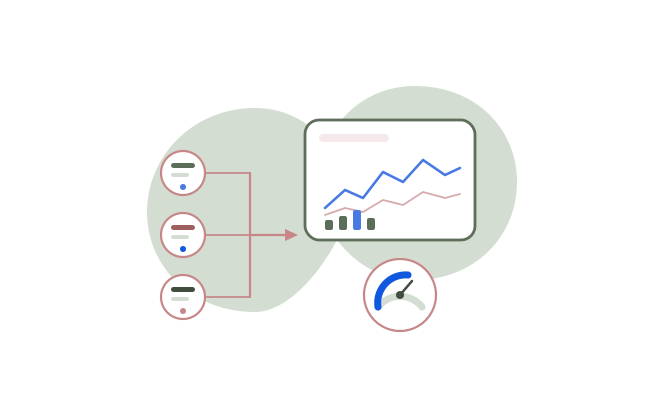
Build a strong foundation in monitoring and alerting using Prometheus and Grafana, from metrics fundamentals to production troubleshooting. Learn how to build Kubernetes monitoring dashboards, design meaningful alerts, and respond to real incident patterns with operational confidence.
Duration:
3 Days
Level:
Intermediate
.avif)
1500+ users onboarded
Who will Benefit from this Training?
Training Objectives
Build a high-performing, job-ready tech team.
Personalise your team’s upskilling roadmap and design a befitting, hands-on training program with Uptut

Key training modules
Comprehensive, hands-on modules designed to take you from basics to advanced concepts
Download Curriculum
- Observability Fundamentals
- Monitoring vs observability (what’s the difference in real operations)
- Three pillars of observability (metrics, logs, traces)
- Why “unknown unknowns” require observability, not only monitoring
- Where Prometheus and Grafana fit in the observability stack
- Hands-on: Activity: Map metrics/logs/traces to real incidents (CPU spike, latency, DB slowdown)
- Prometheus Architecture
- Prometheus server components (scraper, storage, query engine)
- Exporters overview (node exporter, app exporters, custom metrics)
- Service discovery concepts (static vs dynamic targets)
- TSDB basics (time series model, labels, retention)
- Hands-on: Lab: Install Prometheus and explore targets, metrics endpoint, and TSDB health
- Collecting Metrics (Linux, Apps, Containers, Kubernetes)
- Linux server metrics using node_exporter (CPU, memory, disk, network)
- Application metrics patterns (HTTP requests, latency, errors)
- Container metrics overview (cAdvisor concept, container resource visibility)
- Kubernetes cluster metrics overview (kube-state-metrics, API server metrics concept)
- Hands-on: Lab: Onboard Linux + app targets and validate scrape health and label consistency
- PromQL for Querying and Troubleshooting
- PromQL basics (instant vectors, range vectors, label filters)
- Aggregation and grouping (sum, avg, max, by, without)
- Rates and counters (rate(), irate(), increase())
- Troubleshooting patterns (high CPU, memory pressure, saturation, error spikes)
- Hands-on: Lab: Write PromQL queries to detect CPU saturation, memory leak symptoms, and high error rates
- Grafana Dashboards
- Dashboard design principles (actionable, minimal, outcome-driven)
- Infrastructure dashboards (CPU, memory, disk, network)
- Application dashboards (latency, throughput, errors)
- Kubernetes dashboards (pods, nodes, deployments, restarts)
- Hands-on: Lab: Build 3 dashboards (infra + app + k8s) with templating and drilldowns
- Alerting with Prometheus and Alertmanager
- Alert rules structure (expr, for, labels, annotations)
- Alertmanager routing (receivers, routes, matchers)
- Grouping and inhibition to reduce noise
- Silencing and maintenance windows
- Hands-on: Lab: Create alert rules and route them using Alertmanager with grouping + silences
- Monitoring Strategy (Golden Signals, RED, SLI/SLO)
- Golden Signals (latency, traffic, errors, saturation)
- RED metrics for services (Rate, Errors, Duration)
- SLI/SLO basics and why they reduce alert fatigue
- Choosing what to alert on (symptoms vs causes)
- Hands-on: Activity: Convert noisy alerts into SLO-aligned symptom alerts
- Deploying with Helm (kube-prometheus-stack) and Kubernetes Monitors
- Why kube-prometheus-stack is the standard on Kubernetes
- Helm installation workflow and values management
- Prometheus Operator basics (CRDs and controllers concept)
- Best practices (retention, resources, persistence, HA concepts)
- ServiceMonitor vs PodMonitor (when to use each)
- Hands-on: Lab: Create ServiceMonitor/PodMonitor for a sample app and validate discovery in Prometheus
- Recording Rules, Blackbox Checks, and Alert Tuning
- Why recording rules matter (faster dashboards, reusable metrics)
- Standardizing metrics names and labels
- Precomputing rates and aggregations
- Rule evaluation intervals and performance trade-offs
- Blackbox exporter basics (HTTP, TCP, ICMP probes)
- Hands-on: Lab: Improve 5 noisy alerts by adding context, runbook steps, and correct thresholds
- Capstone: Incident Simulations
- Incident workflow (detect, triage, isolate, mitigate, confirm)
- Using Grafana drilldowns to locate bottlenecks
- Using PromQL to confirm hypotheses (saturation, latency, errors)
- Kubernetes events and restarts correlation with metrics
- Hands-on: Capstone Lab: Run incident simulations (CPU spike, memory leak, pod crash, latency regression) and resolve using dashboards and metrics
Hands-on Experience with Tools
Training Delivery Format
Flexible, comprehensive training designed to fit your schedule and learning preferences

Opt-in Certifications
AWS, Scrum.org, DASA & more
.avif)
100% Live
on-site/online training
.avif)
Hands-on
Labs and capstone projects
.avif)
Lifetime Access
to training material and sessions
Skill-Gap Assessment
Analysing skill gap and assessing business requirements to craft a unique program
1
Personalisation
Customising curriculum and projects to prepare your team for challenges within your industry
2
Implementation
Supplementing training with consulting support to ensure implementation in real projects
3
Why this course
- Reduce downtime and incident duration: Faster detection and diagnosis lowers outage impact.
- Prevent performance degradation: Proactive monitoring catches issues before users complain.
- Improve release confidence: Monitoring validates stability after deployments and changes.
- Avoid infrastructure overspending: Identify underutilized resources and tune scaling decisions.
- Increase reliability and trust: Stable systems improve retention and reduce escalations.
Training objectives
- Explain observability vs monitoring and the pillars of observability (metrics, logs, traces).
- Understand Prometheus architecture including server, exporters, service discovery, and TSDB basics.
- Collect metrics from Linux servers, applications, containers, and Kubernetes clusters.
- Use PromQL to query, aggregate, and troubleshoot common infrastructure and application issues.
- Build actionable Grafana dashboards for infrastructure, applications, and Kubernetes workloads.
- Configure alerting using Prometheus alert rules and Alertmanager routing, grouping, and silencing.
- Apply monitoring strategy patterns including Golden Signals, RED metrics, and SLI/SLO basics.
- Deploy Prometheus and Grafana using best practices including Helm and kube-prometheus-stack.
- Use ServiceMonitor/PodMonitor to onboard new targets in Kubernetes-native way.
- Create recording rules to standardize metrics and improve query performance.
- Implement blackbox synthetic checks and alert on availability/latency failures.
- Tune alerts to reduce noise and add runbook-ready context for faster incident response.
- Perform real-world troubleshooting using dashboards, metrics, and events through incident simulations.
Who will benefit
- DevOps Engineers
- SRE Engineers
- Cloud Engineers
- Platform Engineers
- Kubernetes Administrators
- Backend Engineers owning production services
- Tech Leads responsible for uptime and production stability
.avif)
Lead the Digital Landscape with Cutting-Edge Tech and In-House " Techsperts "
Discover the power of digital transformation with train-to-deliver programs from Uptut's experts. Backed by 70,000+ professionals across the world's leading tech innovators.
.svg)
.svg)
.svg)
.svg)
.svg)
Recommended Training
Continue your learning journey with these hand-picked courses and bundles
Frequently Asked Questions
2. Will my team get any practical experience with this training?

.svg)
With our focus on experiential learning, we have made the training as hands-on as possible with assignments, quizzes and capstone projects, and a lab where trainees will learn by doing tasks live.
3. What is your mode of delivery - online or on-site?
We conduct both online and on-site training sessions. You can choose any according to the convenience of your team.
4. Will trainees get certified?
Yes, all trainees will get certificates issued by Uptut under the guidance of industry experts.
5. What do we do if we need further support after the training?
We have an incredible team of mentors that are available for consultations in case your team needs further assistance. Our experienced team of mentors is ready to guide your team and resolve their queries to utilize the training in the best possible way. Just book a consultation to get support.